Is your welding machine getting too hot? A Welding Machine Overheating Issue? Step Fix can seem tricky when you’re new to welding.
It’s common because many factors can cause this, and figuring out the exact reason can be tough. Don’t worry! We’ll walk through a simple plan to help you solve this problem step-by-step.
Get ready to learn what to do next.
Key Takeaways
- You will learn common reasons why welding machines overheat.
- This post provides simple steps to fix overheating issues.
- We will cover how to properly maintain your welding machine.
- You will find tips to prevent overheating in the future.
- This guide helps beginners quickly solve common welding problems.
Why Your Welder Might Be Overheating
Welding machines are great tools. They help us join metal pieces together. But sometimes, they can get too hot.
This is called overheating. It’s a common problem, especially for people who are just starting out with welding. When a machine overheats, it can stop working.
It might even get damaged. Knowing why this happens is the first step to fixing it.
Too Much Work at Once
One of the biggest reasons welders overheat is using them too much without a break. Imagine running a race without stopping to drink water. Your body would get tired and hot.
A welding machine is similar. When you weld for a long time, the machine’s parts get warm. If you keep going without letting it cool down, it gets too hot.
Every welding machine has a “duty cycle.” This is like its limit for how long it can work within a certain time. For example, a 60% duty cycle at 100 amps means the machine can weld for 6 minutes out of every 10 minutes. If you go over this, especially at high power settings, it’s going to get hot.
Poor Airflow
Welding machines need to breathe, just like we do. They have fans and vents to keep them cool. If these parts get blocked, the hot air can’t escape.
This traps the heat inside, making the machine overheat faster.
Dust, dirt, and metal shavings can easily clog up the vents and fans. This often happens in workshops that aren’t kept very clean. When the cooling system can’t do its job, the machine’s temperature goes up quickly.
Using the Wrong Settings
Using the wrong power settings can also lead to overheating. If you set the amperage too high for the type of metal you’re welding or the thickness of your electrode, the machine has to work much harder. This extra effort generates more heat than the cooling system can handle.
Similarly, using a welding cable that’s too small for the job can cause it to heat up. The electricity has a harder time flowing through a thin wire, creating resistance and heat. It’s like trying to push a lot of water through a very thin pipe; it’s difficult and builds up pressure (heat).
Internal Problems
Sometimes, the problem isn’t about how you’re using the machine, but with the machine itself. Parts inside can wear out or break. This could be a faulty fan, a loose wire, or an issue with the internal cooling system.
These internal issues are harder to spot without some knowledge of electronics. They usually require a bit more investigation or even a professional to fix.
Environmental Factors
Where you weld matters too. If you’re trying to weld in a very hot environment, like outdoors on a sunny day or in a poorly ventilated shed, your welding machine will have a harder time staying cool. The outside heat adds to the heat the machine is already generating.
The ambient temperature can significantly impact how efficiently your machine cools itself. A machine that works fine in a cool garage might overheat quickly in a hot workshop.
Simple Steps to Fix Overheating
Don’t let a hot welder stop your work. Here’s how to tackle the Welding Machine Overheating Issue? Step Fix.
Step 1: Let It Cool Down
This sounds very simple, but it’s the most important first step. If your machine feels hot to the touch or its thermal overload light comes on, turn it off. Give it plenty of time to cool down completely.
This could be 15-30 minutes, or even longer depending on how hot it got.
While it’s cooling, check your surroundings. Is it very hot where you are? Can you move to a cooler, more shaded spot?
This might be all you need to do for the next welding session.
Step 2: Check the Airflow
Once the machine is cool, take a good look at its vents. Are they covered in dust, metal shavings, or dirt? You’ll need to clean them.
Use a soft brush to gently remove debris from the outside of the vents.
For a deeper clean, you might need to use compressed air. Aim the air in short bursts to blow the dust out of the vents and away from the machine. Be careful not to blow the dust further into the machine.
Make sure the fan is spinning freely when the machine is powered on (but not welding). If the fan isn’t running or sounds strange, it might need to be checked or replaced.
Step 3: Inspect Your Welding Cables
Look at your welding cables. Are they the right size for your machine and the type of welding you’re doing? If they look too thin or have any damage like cracks or fraying, they could be causing problems.
Ensure the connections where the cables plug into the machine and the electrode holder are clean and tight. Loose connections create resistance, which generates heat. A dirty or loose connection can be a big source of overheating.
Step 4: Review Your Settings
Think about the last time you were welding. Were you using the highest amperage setting for an extended period? Try reducing the amperage slightly.
You might find that a lower setting still works well for your project but puts less strain on the machine.
Also, consider the duty cycle of your machine. If you were welding continuously for a long time, try to weld in shorter bursts and give the machine breaks. Stick to the recommended duty cycle for your machine’s settings.
Step 5: Clean the Machine Internally (Carefully!)
If cleaning the external vents didn’t solve the issue, and you feel comfortable doing so, you can try a more thorough internal clean. First, unplug the machine from the power source. Then, carefully remove the machine’s cover.
Use compressed air to blow out any dust and debris from inside the machine.
Pay attention to the heat sinks and the cooling fan. Be gentle and avoid touching any sensitive electronic components if you’re unsure. If you see any loose wires or obvious signs of damage, it’s best to stop and seek professional help.
Step 6: Check the Electrode Holder and Ground Clamp
Sometimes, the problem isn’t the welder itself but its accessories. Make sure your electrode holder is in good condition. Are the jaws clean?
Are they gripping the electrode firmly?
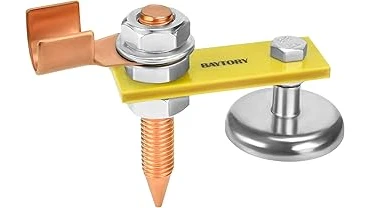
Your ground clamp is also vital. Ensure it makes solid contact with the workpiece. A poor ground connection can cause electricity to take a difficult path, leading to heat buildup in the cables and the machine.
Step 7: Consider Professional Help
If you’ve tried all these steps and your welder is still overheating, there might be an internal issue that needs a qualified technician to fix. Don’t try to repair complex internal components yourself unless you have the right training and tools. A professional can diagnose and fix internal faults safely.
Preventing Overheating: Tips for the Future
A little care goes a long way in preventing a Welding Machine Overheating Issue? Step Fix. Here are some tips to keep your welder running cool.
- Regular Cleaning: Make cleaning the vents and fans a habit after every few welding sessions.
- Mind the Duty Cycle: Always be aware of your machine’s duty cycle and respect its limits.
- Use Correct Cables: Ensure your welding cables are the right gauge and in good condition.
- Proper Connections: Keep electrode holders and ground clamps clean and ensure good contact.
- Work in a Good Environment: Weld in well-ventilated, cooler areas when possible.
- Listen to Your Machine: If you hear strange noises or smell something unusual, stop welding and investigate.
Understanding Duty Cycle
The duty cycle is a critical concept for preventing overheating. It tells you how long a welding machine can operate within a 10-minute period at a specific amperage without overheating.
What is Duty Cycle?
Duty cycle is usually expressed as a percentage. For example, a 60% duty cycle at 100 amps means the welder can run for 6 minutes (60% of 10 minutes) at 100 amps. After those 6 minutes, it needs to rest for 4 minutes to cool down before it can operate at that amperage again.
Factors Affecting Duty Cycle
- Amperage: The higher the amperage you use, the lower the duty cycle. Welding at lower amperages allows for longer run times.
- Cooling System: Machines with better or larger cooling fans and heat sinks generally have higher duty cycles.
- Ambient Temperature: Welding in a hot environment reduces the effective duty cycle because the machine starts with a higher base temperature.
If your welding project requires you to run the welder for longer periods than its duty cycle allows, you have a few options:
- Take Longer Breaks: Simply let the machine cool down for longer periods between welds.
- Reduce Amperage: If possible, lower the amperage setting. This might mean making more passes or using a different welding technique, but it significantly extends your welding time.
- Use a Larger Machine: For heavy, continuous welding jobs, a machine with a higher duty cycle or a more powerful welder might be necessary.
Common Welding Cables and Their Gauges
Using the correct welding cables is essential for efficient power transfer and preventing heat buildup. Cables that are too small for the current they carry will overheat.
Cable size is measured in AWG (American Wire Gauge). A lower AWG number means a thicker cable.
| Amperage Range | Recommended Cable Gauge (AWG) | Typical Application |
|---|---|---|
| Up to 100 amps | 10 to 8 AWG | Light-duty hobbyist, small repairs |
| 100 to 200 amps | 6 to 4 AWG | General fabrication, moderate welding jobs |
| 200 to 300 amps | 3 to 2/0 AWG | Heavy fabrication, industrial use |
| Over 300 amps | 2/0 to 4/0 AWG | Very demanding industrial applications |
It’s always better to err on the side of a thicker cable than one that’s too thin. A thicker cable has less electrical resistance, allowing electricity to flow more easily and generating less heat.
Maintenance Best Practices
Keeping your welding machine in good shape involves more than just cleaning. Regular maintenance ensures its longevity and prevents issues like overheating.
Daily Checks
- Visual Inspection: Look for any loose connections, damaged cables, or unusual wear and tear.
- Ventilation: Ensure the vents are clear before starting work.
Weekly/Monthly Checks
- Internal Cleaning: Use compressed air to blow out dust from inside the machine.
- Connection Tightness: Check and tighten all cable connections.
- Fan Operation: Ensure the cooling fan is running smoothly. Listen for any strange noises.
Annual Checks (or as needed)
- Professional Inspection: Consider having a qualified technician inspect your machine once a year, especially if you use it heavily.
- Replacement Parts: Replace any worn-out parts, such as cables or electrode holders, as soon as possible.
Following these maintenance steps can prevent many common problems and keep your welding machine performing at its best.
Frequently Asked Questions
Question: What does the red light on my welding machine mean?
Answer: The red light usually indicates that the welding machine has overheated. It’s a thermal overload indicator. You should turn off the machine immediately and let it cool down.
Question: Can I use my welding machine in the rain?
Answer: No, you should never use a welding machine in the rain or in very wet conditions. Water and electricity are a dangerous combination. It can damage the machine and cause electrocution.
Question: How often should I clean my welding machine’s vents?
Answer: It’s best to clean the vents regularly, ideally after each welding session if you notice dust buildup, or at least weekly for casual users. For heavy use, clean them more often.
Question: My welding machine keeps shutting off. What’s wrong?
Answer: This is usually a sign of overheating or a duty cycle issue. Make sure you’re not exceeding the machine’s duty cycle. Let it cool down completely and ensure the vents are clean.
If it continues, there might be an internal problem.
Question: Is it normal for the cables to get warm?
Answer: Cables can get slightly warm during normal use, especially during longer welds. However, if they become too hot to touch comfortably, it indicates a problem with the cable size, connections, or amperage setting.
Final Thoughts
Dealing with a Welding Machine Overheating Issue? Step Fix is manageable for beginners. You learned that most overheating comes from working the machine too hard, blocking its airflow, or using wrong settings.
We covered simple steps like cooling the machine, cleaning vents, checking cables, and adjusting power. Following these helps your welder last longer and work better. Remember to clean it regularly and respect its limits to avoid future hot troubles.
You’re ready to weld smarter!