
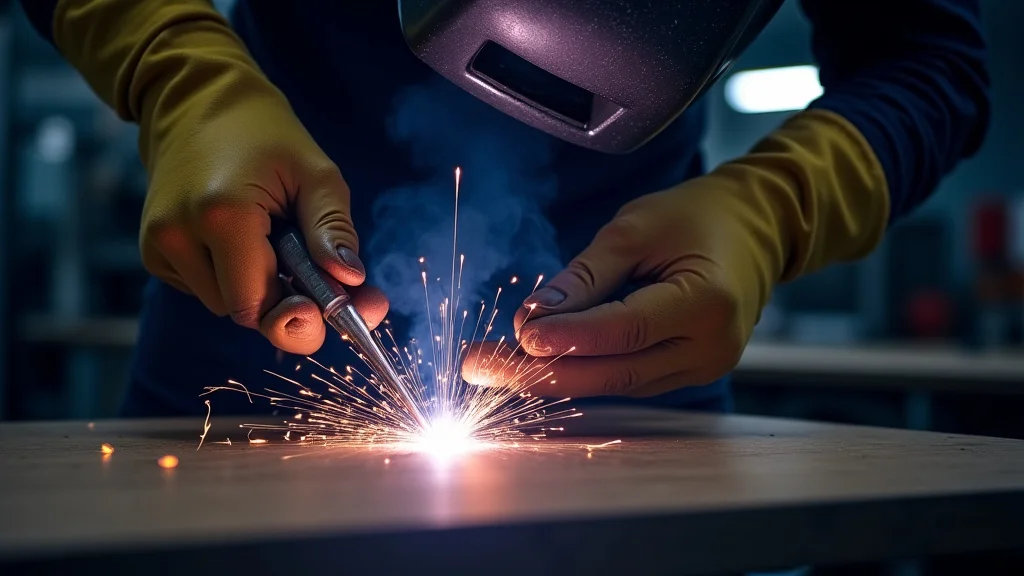
When your welding machine starts clicking, it can be a bit confusing, especially if you’re new to welding. This “Welding Machine Clicking? Easy Troubleshoot” problem is super common.
Don’t worry! This guide will show you exactly what to do, step-by-step, to fix it. We’ll get your machine running smoothly again in no time, and you’ll learn how to spot these issues yourself next time.
Key Takeaways
- You will learn common reasons why a welding machine makes a clicking sound.
- We will cover simple checks you can do yourself to find the problem.
- You will discover how to fix issues related to wire feed and power.
- We will explain when it’s time to get professional help for your welder.
- You will gain confidence in troubleshooting your welding equipment.
Why is Your Welding Machine Clicking?
That clicking sound from your welding machine can be unsettling. It often means something isn’t quite right. For beginners, figuring out what that sound means can feel like a puzzle.
Is it a big problem? Do I need a new machine? These are common thoughts.
But often, the reasons are simple, and you can fix them yourself.
Understanding the Clicking Sound
A clicking sound in a welding machine usually points to an issue with the wire feeder or the power supply. Think of it like a car engine making a funny noise; it tells you something needs attention. The good news is, most of these noises are not signs of a major breakdown.
They are often small adjustments or fixes that get your welder back to making good welds.
The Wire Feeder: A Common Culprit
Many welding machines, especially MIG welders, use a wire feeder. This part pushes the welding wire through a cable to your torch. If this feeder has trouble, you’ll often hear clicking.
It’s like the machine is trying to push the wire, but something is stopping it.
Wire Tension Issues
One of the simplest reasons for clicking is the tension on the drive rolls. These rolls grip the wire and push it. If the tension is too tight, the rolls might slip, making a clicking sound.
If it’s too loose, the wire might not feed properly. You can usually adjust this tension easily.
Look for a knob or lever near the drive rolls. You want it tight enough to grip the wire but not so tight that it crushes it. Start with a medium setting and test it.
Adjust slowly until the wire feeds smoothly without skipping or making that clicking noise.
Dirty or Worn Drive Rolls
Over time, the drive rolls can get dirty with metal shavings or wear down. This can prevent them from gripping the wire well. Dirty rolls can cause slipping and clicking.
Worn-out rolls might not have enough grip at all.
Cleaning the drive rolls is usually straightforward. You can use a wire brush or a clean cloth. If they look significantly worn, you might need to replace them.
Check your welder’s manual for the right type of replacement rolls.
The Wrong Size Drive Rolls
Welding wire comes in different diameters. Your drive rolls need to match the wire size you’re using. If you have the wrong size rolls, the wire won’t feed correctly.
It might be too loose, or it might get jammed, leading to clicking.
Most welding machines have different sets of grooves on the drive rolls. These grooves are marked with wire sizes (e.g., 0.030″, 0.035″). Make sure the groove size matches your wire diameter.
You might need to flip the rolls or install a different set.
Obstructions in the Liner
The welding cable has a liner inside it. This liner guides the wire from the machine to the torch. If this liner gets kinked or has debris inside, the wire can get stuck.
The wire feeder will keep trying to push, and you’ll hear that annoying click.
Checking the liner can be a bit more involved. Sometimes, you can try blowing compressed air through it. If it’s badly kinked, you might need to replace the entire cable assembly.
Again, your manual will be a great help here.
Contact Tip Issues
The contact tip is the small part at the end of your torch that the wire passes through. If it’s worn out or clogged with weld spatter, the wire can get hung up. This can cause the wire feeder to click as it struggles to push the wire through.
Check the contact tip. Is it clean? Is the hole in the center worn too large?
If it’s dirty, you can try cleaning it with a wire brush. If it’s worn or damaged, it’s a cheap and easy part to replace. Make sure you get the correct size for your wire.
Power Supply and Electrical Issues
Sometimes, the clicking isn’t from the wire feeder at all. It could be related to the power getting to the welding machine or the internal electrical components.
Loose Connections
Any loose electrical connection can cause problems. This includes the main power cord, ground clamp, and connections inside the machine. A loose connection might cause an intermittent flow of power, which can sometimes result in clicking sounds from relays or contactors.
Always make sure your power cord is securely plugged in. Check the ground clamp connection to your workpiece and the machine. Ensure all visible screws and terminals are tight.
If you’re comfortable, you can open the machine’s cover (after unplugging it!) to check internal connections, but be cautious.
Faulty Relays or Contactors
Inside the welder, relays and contactors are like switches that control power flow. If these parts are failing, they might make clicking noises as they try to engage or disengage. This is more common in older machines or those that have seen heavy use.
Diagnosing failing relays can be tricky. If you suspect this is the issue, especially if other checks don’t reveal the problem, it’s best to have a professional look at it. They have the tools and expertise to test these components safely.
Overheating
Most welding machines have thermal overload protection. If the machine gets too hot, it will shut down to prevent damage. Sometimes, as it cools down or tries to restart, you might hear clicking.
This isn’t a problem with the welder itself but a sign it’s being overworked.
Make sure the welder’s vents are clear and not blocked by dust or debris. Give the machine plenty of space to breathe. If it’s clicking due to overheating, let it cool down completely before trying to use it again.
Avoid welding for extended periods without breaks.
When to Call a Professional
While many clicking issues are simple fixes, some are not. If you’ve tried the common solutions and the clicking persists, or if you’re not comfortable performing certain checks, it’s time to seek professional help. A qualified welding equipment repair technician can diagnose and fix more complex problems.
Also, if the clicking is accompanied by sparks, smoke, or a burning smell, turn the machine off immediately and do not use it. These are signs of a potentially serious electrical fault.
Troubleshooting Checklist
Here’s a quick list to help you track down that clicking sound:
- Check Wire Feeder Tension: Is it too tight or too loose? Adjust as needed.
- Inspect Drive Rolls: Are they clean and free of wear? Clean or replace them.
- Verify Roll Size: Do they match your welding wire diameter?
- Examine Cable Liner: Is it kinked or blocked? Try blowing air through.
- Check Contact Tip: Is it clean and in good shape? Clean or replace it.
- Review Connections: Ensure power cord, ground clamp, and internal connections are tight.
- Consider Overheating: Is the machine hot? Let it cool down.
Frequently Asked Questions
Question: What does a clicking sound from my MIG welder usually mean?
Answer: A clicking sound most often means there’s a problem with the wire feeder. This could be due to incorrect tension, dirty or worn drive rolls, the wrong size drive rolls, a blockage in the liner, or a worn contact tip.
Question: Can I fix a clicking welding machine myself?
Answer: Yes, many clicking issues can be fixed by simple adjustments or cleaning. Things like adjusting wire tension, cleaning drive rolls, and replacing the contact tip are beginner-friendly tasks.
Question: How do I adjust the wire feed tension?
Answer: Look for a knob or lever near the drive rolls. You’ll want to tighten it until the wire feeds smoothly without slipping or crushing the wire. Start with a medium setting and test it.
Question: When should I stop trying to fix it and get professional help?
Answer: If you’ve tried the basic troubleshooting steps and the clicking continues, or if you’re not comfortable with electrical components, it’s best to call a professional. Also, stop if you see smoke, sparks, or smell burning.
Question: Could a clicking sound mean there’s an electrical problem?
Answer: Yes, a clicking sound can sometimes indicate issues with electrical connections, relays, or contactors inside the machine. These are more complex problems that might require a technician.
Final Thoughts
That clicking noise from your welding machine doesn’t have to be a mystery. You’ve learned the common causes, like issues with the wire feeder, and simple steps to fix them. Checking tension, cleaning parts, and making sure everything is connected properly can solve most problems.
You’re now ready to tackle that clicking sound and get back to your projects with confidence. Keep practicing, and you’ll become a pro at spotting and fixing welder quirks!
Leave a Reply