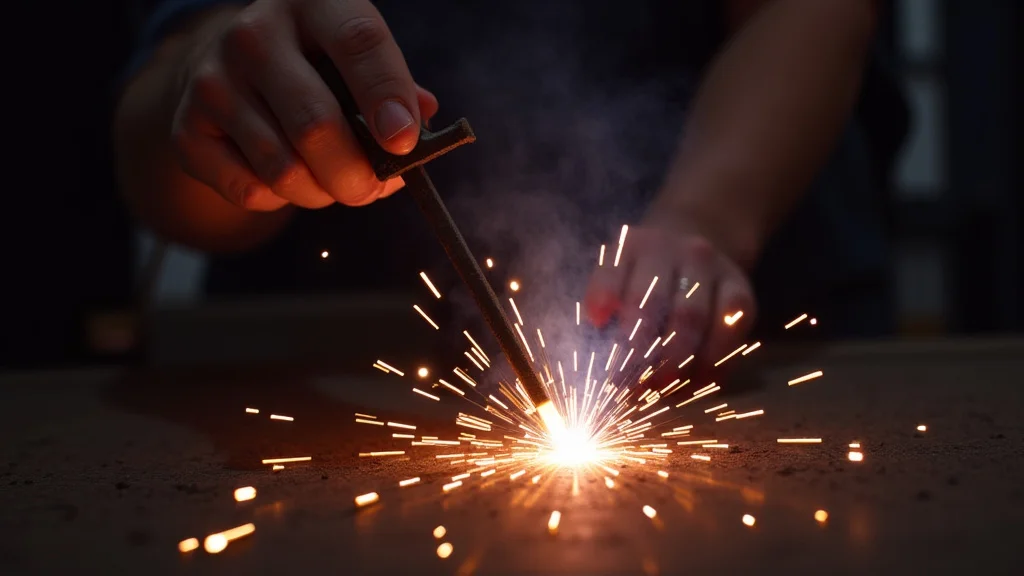
Ever grab your stick welder and notice the power acting weird, like it’s flickering on and off? It might seem like a big problem, but for many beginners, Stick Welder Power Flickering? Easy Fix is often simpler than they think.
Don’t worry if you’re new to this; we’re going to walk through it step-by-step. This guide will show you exactly what to do. Get ready to see how quickly you can solve this common issue.
Key Takeaways
- You’ll learn the most common causes of flickering power in a stick welder.
- Simple, at-home checks to find the source of the problem.
- Basic maintenance steps that can prevent flickering.
- When it’s time to call in a professional for help.
- Tips to keep your stick welder running smoothly.
Why Your Stick Welder’s Power Might Flicker
It’s frustrating when your stick welder’s power doesn’t stay steady. Flickering power can make it hard to get a good weld. You might see the arc jump or dim unexpectedly.
This can happen for a few reasons, and most of them are easy to spot and fix yourself. We’ll look at the most common culprits right now.
Loose Connections are a Big Culprit
Think of your welder like a plumbing system. If there’s a leak anywhere, things don’t work right. The same is true for electrical connections.
Loose wires or clamps are like little leaks in your welder’s power flow. They can cause the electricity to jump around, making the power flicker.
This happens often because welding equipment gets moved around. Vibrations from the machine or just everyday use can loosen screws and connectors over time. It’s not usually a sign that something is broken inside the machine, just that a connection has come loose.
You’ll want to check:
- The connection where the power cord plugs into the wall.
- The connection where the ground clamp attaches to your work or the welder.
- The connection where the electrode holder attaches to the welding cable.
Make sure all these are snug and tight. A quick twist of a screwdriver or a firm pull on a clamp can often solve the problem instantly.
Understanding Your Power Source
Your stick welder needs a steady stream of power to work correctly. If the power coming into your home or workshop is already shaky, your welder will show it. This is more about your building’s electrical system than the welder itself, but it’s still a common cause of flickering.
Older homes might have wiring that isn’t designed to handle the high power draw of a welder. You might also have other appliances running on the same circuit that are using up too much power. This can cause voltage dips, making your welder’s power flicker.
To check this, try running your welder on a different circuit if possible. If the flickering stops, you know the issue is with your original power source. You might need to talk to an electrician about upgrading your home’s wiring or using a dedicated circuit for your welder.
Is Your Extension Cord Too Long or Too Thin?
Using an extension cord with a welder is common, but it can cause problems if it’s not the right kind. A cord that’s too long or too thin (meaning it has a low gauge number) can restrict the flow of electricity. This is like trying to push a lot of water through a tiny straw; it slows down.
When the electricity flow is restricted, the voltage can drop. This voltage drop makes the power delivered to your welder less than ideal, and it can result in flickering. The longer the cord, the more resistance it adds.
The thinner the wire, the more resistance it adds.
Always use the shortest, thickest (lowest gauge number) extension cord you can. Look for cords specifically rated for heavy-duty use or welding. If you can plug your welder directly into the wall outlet without an extension cord, that’s always the best option for a steady power supply.
Dirty or Corroded Electrical Contacts
Over time, the metal parts that connect your welder to the power can get dirty or corroded. Think of it like rust building up on a bike chain; it makes things harder to move smoothly. This can happen on the plug, the outlet, or even the terminals inside your welder.
Dirt, oil, or a light layer of rust can create resistance. This resistance makes it harder for electricity to pass through, leading to inconsistent power delivery. It’s a simple problem to fix, but often overlooked.
Good electrical contact is key to a stable arc.
You can clean these contacts with a wire brush or fine-grit sandpaper. Be sure to unplug the welder and disconnect it from power before doing any cleaning. A clean connection means a strong, steady flow of power.
Problems with the Welding Cable Itself
The cables that carry power from your welder to your electrode holder and ground clamp are important. If these cables are damaged, kinked, or have worn insulation, they can cause issues. A damaged cable might have internal breaks or exposed wires, both of which are dangerous and can disrupt power flow.
Sometimes, the connections at the ends of the cables can become loose or corroded, just like other connections. If you see any visible damage to the cables, like nicks, cuts, or melted spots, it’s a good idea to replace them. Damaged cables are a safety hazard and can definitely cause your power to flicker.
Internal Welder Issues (Less Common for Beginners)
While most flickering issues are external, sometimes the problem is inside the welder. This could be a faulty rectifier, a worn-out capacitor, or an issue with the internal wiring. These are generally more complex problems and usually require professional repair.
However, for beginners, it’s best to rule out all the simple, external causes first. The vast majority of the time, the fix is something you can do yourself without opening up the machine. Stick to checking connections, power sources, and cables before you assume an internal fault.
Troubleshooting Steps: A Simple Guide
Let’s go through how to find and fix the problem systematically. Follow these steps, and you’ll likely find the cause.
Step 1: Safety First!
Before you touch anything, always disconnect your welder from the power source. Make sure it’s unplugged from the wall outlet. Safety is the most important thing when working with electrical equipment.
Step 2: Check the Wall Outlet and Plug
Look at the outlet you’re using. Does it look damaged or discolored? Check the plug on your welder’s power cord.
Are the prongs bent or dirty? Clean the prongs with a dry cloth. If the outlet looks bad, consider using a different one.
If the plug is damaged, you might need to repair or replace the cord.
Step 3: Inspect the Power Cord
Follow the power cord from the plug to the welder. Look for any cuts, nicks, or signs of melting. If you see any damage, stop using the cord immediately.
You’ll need to
Step 4: Examine the Extension Cord (If Used)
If you’re using an extension cord, disconnect it from both the wall and the welder. Check the entire length for damage. Ensure it’s the correct gauge (thickness) and length for your welder.
A heavy-duty cord designed for outdoor power tools or welders is usually best.
Step 5: Tighten the Ground Clamp Connection
The ground clamp connects your welder to the metal you’re working on. Make sure it’s securely attached to a clean spot on your workpiece or the welding table. If the clamp itself has a screw terminal for the cable, make sure that’s tight too.
Remove any rust or paint from the clamp’s contact point on the workpiece for a solid connection.
Step 6: Check the Electrode Holder Connection
The electrode holder connects the welding cable to the electrode. Ensure the cable is firmly attached to the electrode holder. If there’s a screw or clamp mechanism here, tighten it.
A loose connection here means inconsistent power to the arc.
Step 7: Inspect the Welding Cables
Look at the main welding cables that run from the welder to the ground clamp and electrode holder. Are they frayed, kinked, or damaged in any way? Ensure the connections at both ends of the cables (where they plug into the welder and where they attach to the holders) are clean and tight.
Step 8: Test on a Different Circuit
If you suspect your home’s wiring is the issue, try plugging your welder into a different outlet, preferably on a different circuit. If the flickering stops, you’ve found your problem. It’s time to address your home’s electrical system.
Step 9: Clean Electrical Contacts
If all connections look good but you still have flickering, consider cleaning the electrical contacts. This includes the prongs on your welder’s plug, the inside of the wall outlet (be careful!), and the terminals on your electrode holder and ground clamp. Use a wire brush or fine sandpaper for this.
When to Seek Professional Help
If you’ve gone through all these steps and your stick welder is still showing flickering power, it might be time to call a professional. This is especially true if:
- You see any signs of smoke or burning smell.
- The flickering is severe and makes welding impossible.
- You suspect an internal problem with the welder.
- You’re not comfortable performing any of the checks or repairs.
A qualified repair technician can diagnose more complex internal issues and ensure your welder is safe to use.
Maintaining Your Stick Welder for Steady Power
Keeping your welder in good shape is the best way to prevent power flickers and other problems. Regular maintenance is simple and effective.
Keep it Clean
Dust and debris can build up inside your welder and on its components. Use compressed air to blow out any dust regularly. Keep the exterior clean as well.
A clean machine runs better.
Inspect Cables Regularly
Make a habit of checking your welding cables for damage before each use. Don’t wait until you see a problem. If you find any wear or tear, replace the cable immediately.
Tighten Connections Periodically
Even if you don’t have a flickering issue, it’s a good idea to periodically check and tighten all electrical connections. Do this a few times a year, or whenever you’re doing significant maintenance on your welder.
Store it Properly
Store your welder in a dry, clean place. Protect it from moisture and extreme temperatures. Proper storage helps prevent corrosion and damage to electrical components.
Frequently Asked Questions
Question: Why does my stick welder’s arc sputter and flicker?
Answer: Sputtering or flickering can be caused by loose electrical connections, an unstable power source, the wrong type of extension cord, or dirty contacts. Checking these common external issues often resolves the problem.
Question: Can a bad ground clamp cause power flickering?
Answer: Yes, a loose or corroded ground clamp connection can lead to unstable power flow, making the arc flicker. Ensure the clamp is making good contact with clean metal.
Question: Is it safe to use an extension cord with my stick welder?
Answer: It’s safe if you use the correct type of extension cord. It must be a heavy-duty cord with a low gauge number (thick wires) and be as short as possible. Avoid undersized or long cords.
Question: How often should I check my welder’s connections?
Answer: It’s a good idea to check all visible connections before each welding session. A more thorough check and tightening of all connections can be done periodically, perhaps every few months.
Question: What if I still have flickering after checking everything?
Answer: If you’ve checked all external connections, power sources, and cables and the problem persists, there may be an internal issue with the welder itself. This would require professional diagnosis and repair.
Final Thoughts
Seeing Stick Welder Power Flickering? Easy Fix is often about finding that one loose wire or dirty contact. You’ve learned the most common reasons why power might flicker.
We’ve covered how to check your plug, cords, clamps, and cables. You now know what to look for and how to clean things up. With these simple steps, you can keep your welder running smoothly for better welds.